How I Think About Performance Bottlenecks in Android
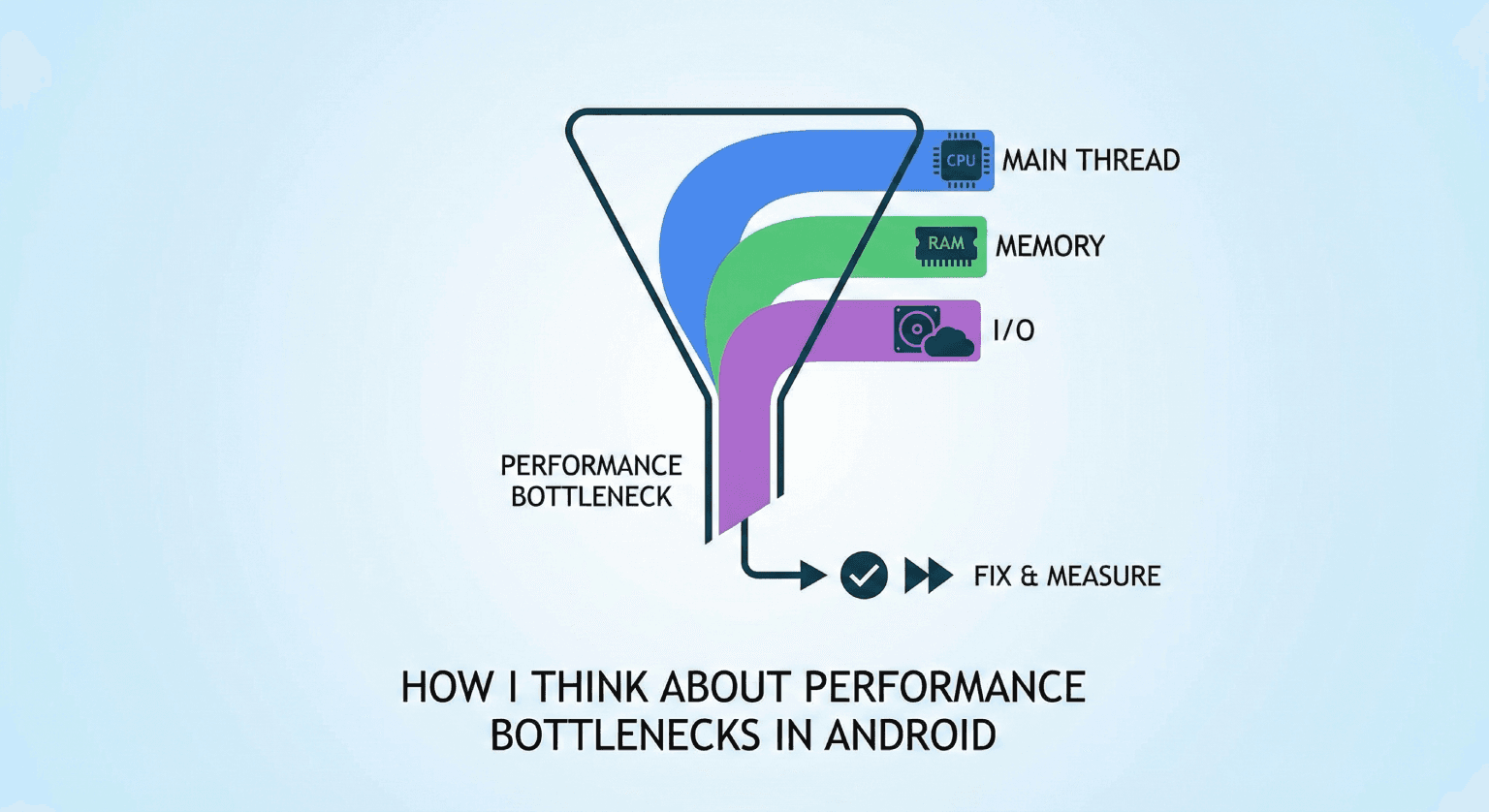
Finding a performance bottleneck is harder than fixing one. The fix is usually straightforward once you know the cause - move work off the main thread, reduce allocations, cache a result. The real skill is in the investigation. Here's how I approach it.
Key Takeaways
- Symptoms lie. A slow screen might not have a slow composable - it might have a slow API call or a blocked main thread.
- Always reproduce with profiling enabled. Guessing at bottlenecks wastes time.
- The bottleneck is usually in one of three places: main thread, memory, or I/O.
- Fix one thing at a time and measure after each change.
Step 1: Characterize the Problem
Before I profile anything, I describe the problem precisely:
- "The feed screen is slow" → Too vague. Slow to load? Slow to scroll? Slow on first launch only?
- "The feed screen drops frames when scrolling through image-heavy content" → Now I know where to look.
- "The feed screen takes 4 seconds to show content on cold start" → Different investigation entirely.
The more precise the symptom, the faster I find the cause.
Step 2: Classify the Bottleneck
Most Android performance problems fall into three categories:
Category 1: Main Thread Contention
Symptoms: dropped frames, ANR dialogs, unresponsive UI during operations.
The main thread has 16ms per frame at 60fps. Anything that takes longer blocks rendering. Common culprits:
// Database query on main thread
fun getUser(): User {
    return database.userDao().getUser() // Blocks until query completes
}

// JSON parsing on main thread
fun parseResponse(json: String): List<Article> {
    return gson.fromJson(json, articleListType) // CPU-intensive for large payloads
}

// Layout inflation in RecyclerView
override fun onCreateViewHolder(parent: ViewGroup, viewType: Int): ViewHolder {
    // Complex layout with deep nesting = slow inflation
    val view = LayoutInflater.from(parent.context)
        .inflate(R.layout.item_complex, parent, false)
    return ViewHolder(view)
}
How I find it: CPU profiler with method tracing. I look for long-running methods on the main thread. Perfetto traces show exactly which frames were dropped and why.
Category 2: Memory Pressure
Symptoms: increasing GC pauses, growing heap size, eventual OOM.
// Accumulating bitmaps without recycling
class ImageCache {
    private val cache = mutableMapOf<String, Bitmap>() // Grows forever

    fun put(key: String, bitmap: Bitmap) {
        cache[key] = bitmap // No eviction policy
    }
}

// Creating objects in hot loops
fun processItems(items: List<Item>): List<Result> {
    return items.map { item ->
        val formatter = SimpleDateFormat("yyyy-MM-dd") // New object per item
        Result(item.id, formatter.format(item.date))
    }
}
How I find it: Memory profiler with heap dumps. I compare heap snapshots before and after the problematic action to see what's growing. LeakCanary catches the common cases automatically.
Category 3: I/O Bottlenecks
Symptoms: long loading times, timeouts, stale data.
Network and disk I/O are orders of magnitude slower than CPU operations. A single disk read can take 10-50ms. A network round trip can take hundreds of milliseconds.
// Sequential I/O when parallel is possible
suspend fun loadDashboard(): Dashboard {
    val user = userApi.getUser()           // 150ms
    val feed = feedApi.getFeed()            // 200ms
    val notifications = notifApi.getAll()   // 100ms
    // Total: 450ms sequential
    return Dashboard(user, feed, notifications)
}
How I find it: Network profiler for API calls. System trace for disk I/O. I look for sequential calls that could be parallel and for missing caching layers.
Step 3: Isolate With a Minimal Reproduction
Once I have a hypothesis, I isolate it. The most effective technique I've found is creating a minimal test that demonstrates the problem:
@Test
fun `measure article list rendering time`() {
    val articles = generateArticles(count = 1000)

    val startTime = System.nanoTime()
    articles.forEach { article ->
        formatArticleForDisplay(article)
    }
    val elapsed = (System.nanoTime() - startTime) / 1_000_000

    println("Processing 1000 articles took ${elapsed}ms")
    // If this is > 16ms, it'll cause jank when called per frame
}
This removes all variables except the code I'm investigating. If the problem disappears in isolation, the bottleneck is in the interaction between components, not in any single one.
Step 4: Fix and Measure
I fix one thing at a time. Multiple changes make it impossible to know which one helped (or which one made things worse).
Common fixes by category:
Main thread → move work off-thread:
// Before: parsing on main thread
val articles = gson.fromJson(response, articleListType)

// After: parsing on IO dispatcher
val articles = withContext(Dispatchers.IO) {
    gson.fromJson(response, articleListType)
}
Memory → reduce allocations:
// Before: new formatter per item
items.map { SimpleDateFormat("yyyy-MM-dd").format(it.date) }

// After: reuse formatter
val formatter = SimpleDateFormat("yyyy-MM-dd")
items.map { formatter.format(it.date) }
I/O → parallelize and cache:
// Before: sequential
val user = api.getUser()
val feed = api.getFeed()

// After: parallel with caching
coroutineScope {
    val user = async { cache.getOrFetch("user") { api.getUser() } }
    val feed = async { cache.getOrFetch("feed") { api.getFeed() } }
    Dashboard(user.await(), feed.await())
}
After each fix, I measure again using the same method I used to establish the baseline. If the numbers improve, the fix stays. If not, I revert and try something else.
Real Debugging Stories
The Invisible Layout Pass
A screen was dropping frames during scrolling. CPU profiler showed nothing unusual. Memory was stable. The issue turned out to be a ConstraintLayout inside a RecyclerView item with circular constraints that triggered multiple layout passes per frame. Flattening the layout to use a simple LinearLayout fixed the jank completely.
The Cursor That Wouldn't Close
An app's memory usage grew slowly over hours of use. Heap analysis showed thousands of CursorWindow objects. A Room query was returning a Cursor that wasn't being closed in an error path. The fix was two lines - adding a finally block.
The Serialization Surprise
An API response took 200ms to parse on mid-range devices. The JSON payload was 2MB because the backend was returning full article content for a list endpoint that only needed titles and thumbnails. The fix wasn't on the Android side at all - it was adding a fields parameter to the API.
Final Thought
Performance debugging is detective work. The evidence is in the profiler data, not in your assumptions. I've been wrong about the cause of performance problems more times than I've been right on the first guess. The discipline of measuring, hypothesizing, isolating, and verifying is what turns a frustrating investigation into a satisfying fix.
Related posts
What I Focus On When Performance Actually Matters in Android Apps
Performance optimization in Android is about knowing what to measure and when to act. My practical approach to profiling, reducing jank, and shipping fast apps.
Handling App Complexity Without Over-Engineering
How I manage growing complexity in Android apps without falling into the trap of building abstractions nobody asked for.
State Management in Jetpack Compose: What Works in Practice
A practical guide to managing state in Jetpack Compose for production Android apps. What patterns I use, what I avoid, and why simplicity wins at scale.