Why Ad Format Engineering Is One of the Hardest Problems in Mobile
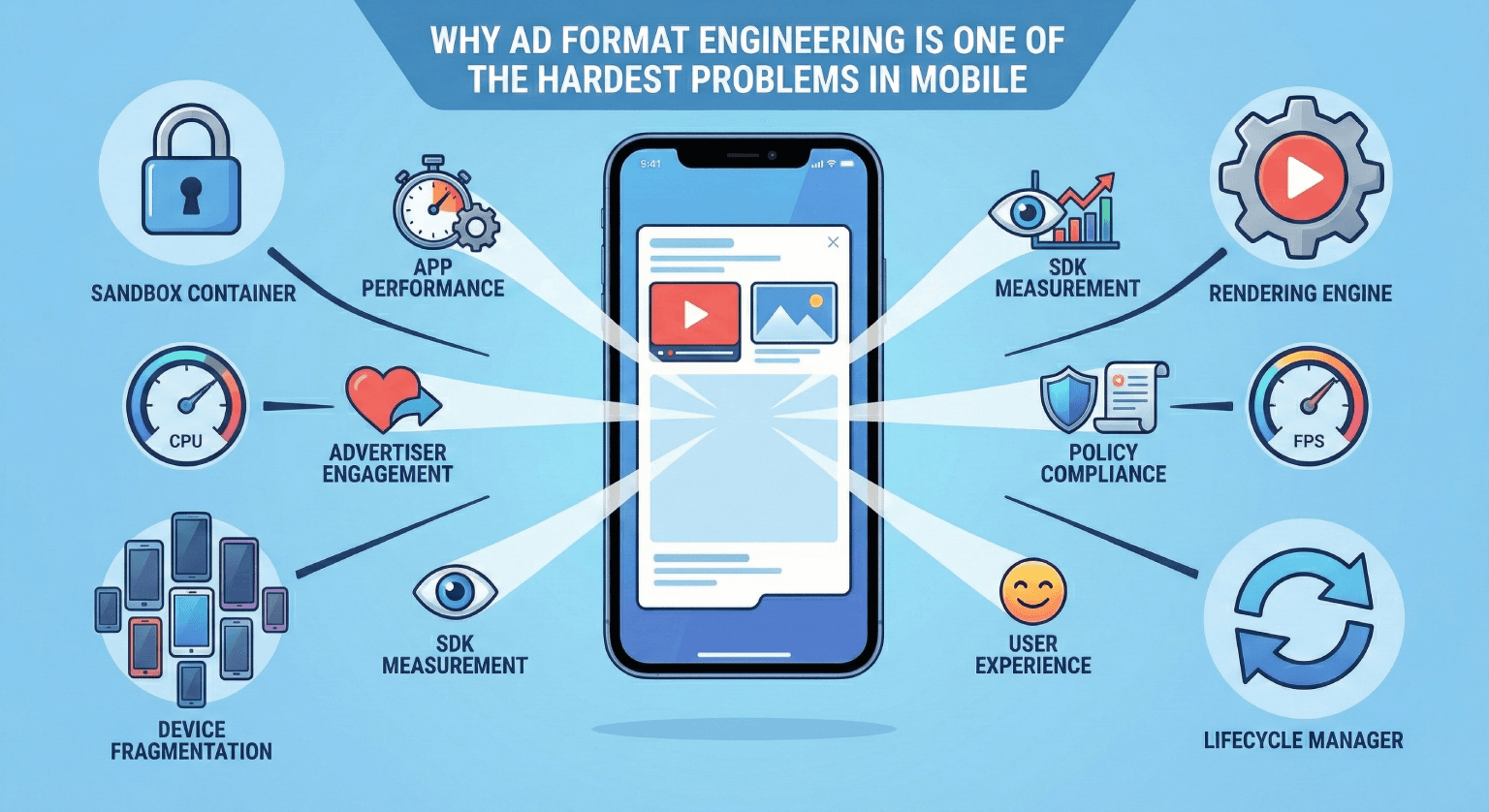
Most engineers look at a mobile ad and see a rectangle. Maybe it plays a video. Maybe it has a button. It seems straightforward. Build a view, load some creative assets, render it in the feed, done.
I used to think the same thing. Then I spent years actually building ad format systems, and I learned that ad format engineering sits at the intersection of almost every hard problem in mobile development. Rendering, performance, measurement, accessibility, cross-platform consistency, creative sandboxing, and graceful degradation. All of it, compressed into a component that has to load in under 200 milliseconds and never, ever crash.
What Makes Ad Formats Different
A normal UI component has one master: the app. The design system defines how it looks. The product team defines how it behaves. The engineering team builds it, tests it, ships it.
An ad format has multiple masters. The app wants performance and visual consistency. The advertiser wants engagement and brand fidelity. The ad SDK wants measurement accuracy. The policy team wants compliance. The user wants to not be annoyed.
App's priorities:      Performance, visual consistency, stability
Advertiser's needs:    Brand fidelity, engagement, click accuracy
SDK requirements:      Impression tracking, viewability, attribution
Policy constraints:    Content guidelines, disclosure rules, data privacy
User expectations:     Non-intrusive, fast loading, dismissable
Building a component that satisfies all five simultaneously is the core challenge. And unlike most product features, you don't get to pick which ones matter most. They all matter, all the time.
The Rendering Problem
Ad creatives come in dozens of formats. Static images, animated GIFs, HTML5 rich media, video with companion banners, playable ads, carousel units. Each has different rendering requirements, different memory profiles, and different failure modes.
sealed class AdCreativeType {
    data class StaticImage(
        val url: String,
        val width: Int,
        val height: Int
    ) : AdCreativeType()

    data class Video(
        val url: String,
        val duration: Int,
        val autoPlay: Boolean,
        val companionBanner: StaticImage?
    ) : AdCreativeType()

    data class RichMedia(
        val htmlContent: String,
        val sandboxConfig: SandboxConfig,
        val maxMemoryMb: Int
    ) : AdCreativeType()

    data class Carousel(
        val cards: List<CarouselCard>,
        val autoAdvance: Boolean
    ) : AdCreativeType()

    data class Playable(
        val bundleUrl: String,
        val timeoutMs: Long,
        val fallback: StaticImage
    ) : AdCreativeType()
}
The temptation is to build a unified renderer that handles all of these. Every team tries this at some point. And every team learns the same lesson: a unified renderer either becomes so abstract that it's impossible to optimize, or so full of special cases that it's impossible to maintain.
The approach that actually works is a format registry with specialized renderers:
class AdFormatRegistry {
    private val renderers = mutableMapOf<String, AdRenderer>()

    fun register(formatId: String, renderer: AdRenderer) {
        renderers[formatId] = renderer
    }

    fun getRenderer(ad: AdCreative): AdRenderer {
        return renderers[ad.formatId]
            ?: renderers["fallback"]
            ?: throw IllegalStateException("No renderer for format: ${ad.formatId}")
    }
}

interface AdRenderer {
    fun canRender(creative: AdCreativeType): Boolean
    fun estimateMemoryCost(creative: AdCreativeType): Long
    fun render(creative: AdCreativeType, container: ViewGroup): AdView
    fun onViewabilityChanged(visible: Boolean)
    fun dispose()
}
Each renderer knows exactly how to handle its format. The static image renderer is lean and fast. The video renderer manages its own media player lifecycle. The rich media renderer spins up a sandboxed WebView. No shared abstractions trying to be everything at once.
The Performance Budget Problem
Every ad format competes with organic content for the same resources: CPU, GPU, memory, and battery. The hard part is that ad formats have less room for error than organic content.
When an organic post takes 50 milliseconds longer to render, nobody notices. When an ad takes 50 milliseconds longer, it causes a visible hitch in the scroll. Users don't think "that ad was slow." They think "this app is laggy." The blame lands on the app, not the ad.
class AdPerformanceGuard(
    private val performanceMonitor: PerformanceMonitor
) {
    companion object {
        const val MAX_AD_RENDER_TIME_MS = 200L
        const val MAX_AD_MEMORY_MB = 50
        const val MIN_FPS_DURING_AD_LOAD = 45
    }

    fun canLoadAd(format: AdCreativeType): LoadDecision {
        val availableMemory = performanceMonitor.availableMemoryMb()
        val estimatedCost = estimateMemoryCost(format)

        if (availableMemory - estimatedCost < performanceMonitor.minSafeMemoryMb()) {
            return LoadDecision.Reject("insufficient_memory")
        }

        if (performanceMonitor.currentFps() < MIN_FPS_DURING_AD_LOAD) {
            return LoadDecision.Defer("low_fps")
        }

        return LoadDecision.Allow
    }

    fun trackRenderTime(formatId: String, renderTimeMs: Long) {
        if (renderTimeMs > MAX_AD_RENDER_TIME_MS) {
            metrics.report("ad_slow_render", mapOf(
                "format" to formatId,
                "render_time_ms" to renderTimeMs
            ))
        }
    }
}
This gets even harder with video ads. A video ad needs to decode frames, manage audio state, handle orientation changes, and respond to lifecycle events. All while sharing the video decoder hardware with the rest of the app. On devices with a single hardware decoder, playing an ad video means the app can't play any other video simultaneously. That constraint ripples through the entire media playback architecture.
The Measurement Problem
Advertisers pay based on measurable events: impressions, clicks, video completions, viewability thresholds. Each of these sounds simple. None of them are.
What counts as an impression?
The industry standard (MRC) says at least 50% of the ad's pixels must be visible for at least one continuous second. For video, it's 50% of pixels and 2 continuous seconds of playback.
class ViewabilityTracker(
    private val adView: View,
    private val clock: Clock
) {
    private var visibleSince: Long? = null
    private var hasLoggedImpression = false

    fun onVisibilityChanged(visiblePercentage: Float) {
        if (hasLoggedImpression) return

        if (visiblePercentage >= 0.5f) {
            if (visibleSince == null) {
                visibleSince = clock.currentTimeMs()
            }

            val visibleDuration = clock.currentTimeMs() - (visibleSince ?: return)
            if (visibleDuration >= VIEWABILITY_THRESHOLD_MS) {
                logImpression()
                hasLoggedImpression = true
            }
        } else {
            // Reset the timer if the ad scrolls out of view
            visibleSince = null
        }
    }

    companion object {
        const val VIEWABILITY_THRESHOLD_MS = 1000L // 1 second for display
        const val VIDEO_VIEWABILITY_THRESHOLD_MS = 2000L // 2 seconds for video
    }
}
Sounds straightforward. But now consider: what happens when the user locks their screen while an ad is 60% visible? Does the timer pause? What if the app goes to the background? What if a dialog appears on top of the ad? What if the user pulls down the notification shade halfway? Each of these cases requires explicit handling, and getting any of them wrong means either over-counting (fraud risk) or under-counting (lost revenue).
What counts as a click?
A click seems obvious. The user taps the ad. But what about accidental clicks? A user scrolling fast might touch the ad surface without intending to. The industry has spent years fighting "fat finger" clicks because they generate advertiser spend without genuine intent.
class ClickValidator {
    fun isValidClick(event: MotionEvent, adBounds: Rect, context: ScrollContext): Boolean {
        // Reject clicks during active scrolling
        if (context.isScrolling && context.scrollVelocity > SCROLL_VELOCITY_THRESHOLD) {
            return false
        }

        // Reject clicks too close to the edge of the ad
        val clickPoint = Point(event.x.toInt(), event.y.toInt())
        val innerBounds = adBounds.inset(EDGE_PADDING_PX)
        if (!innerBounds.contains(clickPoint.x, clickPoint.y)) {
            return false
        }

        // Reject clicks that happen too quickly after the ad renders
        val timeSinceRender = System.currentTimeMillis() - adRenderTimestamp
        if (timeSinceRender < MIN_TIME_BEFORE_CLICK_MS) {
            return false
        }

        return true
    }

    companion object {
        const val SCROLL_VELOCITY_THRESHOLD = 500 // px/s
        const val EDGE_PADDING_PX = 20
        const val MIN_TIME_BEFORE_CLICK_MS = 300L
    }
}
Every click validation rule is a balance. Too strict, and you reject legitimate clicks, costing the advertiser conversions and the publisher revenue. Too loose, and you let through accidental clicks that waste advertiser budgets and erode trust in the platform.
The Sandboxing Problem
Rich media and playable ads execute third-party code. That code can do things you don't expect: allocate unbounded memory, make network requests to tracking domains, attempt to access device APIs, or simply hang the main thread.
class AdSandbox(
    private val context: Context
) {
    fun createSandboxedWebView(config: SandboxConfig): WebView {
        val webView = WebView(context).apply {
            settings.apply {
                javaScriptEnabled = true
                allowFileAccess = false
                allowContentAccess = false
                databaseEnabled = false
                setGeolocationEnabled(false)
                mediaPlaybackRequiresUserGesture = config.requiresGesture
            }
        }

        // Memory watchdog
        val memoryWatchdog = MemoryWatchdog(
            maxMemoryMb = config.maxMemoryMb,
            onExceeded = {
                webView.loadUrl("about:blank")
                webView.destroy()
                reportSandboxViolation("memory_exceeded", config.adId)
            }
        )

        // Execution timeout
        val timeoutHandler = Handler(Looper.getMainLooper())
        timeoutHandler.postDelayed({
            if (!config.isCompleted) {
                webView.loadUrl("about:blank")
                reportSandboxViolation("timeout", config.adId)
            }
        }, config.maxExecutionTimeMs)

        return webView
    }
}
The sandbox has to be tight enough to prevent abuse but loose enough to let legitimate creatives function. A video ad needs network access to stream media. An interactive ad needs JavaScript. A playable ad needs touch input and canvas rendering. You can't just lock everything down.
The real art is in the monitoring layer. You let the creative run, but you watch everything it does. Memory allocation, CPU usage, network requests, frame rate impact. If any metric crosses a threshold, you kill the creative and fall back to a static image. The advertiser's creative doesn't crash the app. Ever.
The Device Fragmentation Problem
This is the problem that makes mobile ad format engineering fundamentally different from web. On the web, you have a handful of browser engines with largely consistent behavior. On Android, you have thousands of device configurations.
class DeviceCapabilityProfile {
    val gpuRenderer: String      // "Adreno 650" vs "Mali-G52" vs "PowerVR"
    val availableRamMb: Int      // 2048 vs 12288
    val screenDensity: Float     // 1.0 vs 3.5
    val hardwareDecoderCount: Int // 1 vs 4
    val openGlVersion: Float     // 2.0 vs 3.2
    val cpuCores: Int            // 4 vs 8

    fun maxSupportedFormat(): FormatTier = when {
        availableRamMb < 3000 -> FormatTier.BASIC        // Static, simple video
        availableRamMb < 6000 -> FormatTier.STANDARD     // Video, light rich media
        else -> FormatTier.PREMIUM                        // All formats including playables
    }
}
A playable ad that runs beautifully on a flagship phone with 12GB of RAM and a top-tier GPU will cause an OutOfMemoryError on a budget device with 2GB. A video ad that auto-plays smoothly on a fast network will stutter and buffer on a 3G connection.
The engineering response is a tiered format system. Not every device gets every format. The format selection logic considers the device's capabilities before the ad request even goes out.
class FormatSelector(
    private val deviceProfile: DeviceCapabilityProfile,
    private val networkInfo: NetworkInfo
) {
    fun supportedFormats(): List<String> {
        val formats = mutableListOf("static_image") // Always supported

        if (deviceProfile.availableRamMb >= 3000) {
            formats.add("video_standard")
        }

        if (deviceProfile.availableRamMb >= 4000 && networkInfo.isWifi()) {
            formats.add("video_hd")
            formats.add("carousel")
        }

        if (deviceProfile.maxSupportedFormat() == FormatTier.PREMIUM
            && networkInfo.effectiveBandwidthMbps > 5.0) {
            formats.add("rich_media")
            formats.add("playable")
        }

        return formats
    }
}
This means the ad request itself is device-aware. The server knows what the client can handle and only returns creatives that will render well. No wasted bandwidth downloading a video creative that the device can't play smoothly.
The Lifecycle Problem
Mobile apps have complex lifecycles. Activities get destroyed and recreated on rotation. The app goes to background when the user switches tasks. Memory gets reclaimed by the OS under pressure. The screen turns off.
An ad format has to handle every single one of these transitions gracefully:
class AdLifecycleManager(
    private val adView: AdView,
    private val tracker: ViewabilityTracker
) {
    fun onPause() {
        adView.pauseMedia()
        tracker.pause()
    }

    fun onResume() {
        // Don't auto-resume video. Wait for viewability check.
        tracker.resume()
    }

    fun onDestroy() {
        adView.cancelPendingLoads()
        adView.releaseMediaResources()
        tracker.flush()
        adView.dispose()
    }

    fun onMemoryWarning() {
        // Downgrade to static fallback if we're using a heavy format
        if (adView.currentFormat.memoryIntensive) {
            adView.downgradeToFallback()
        }
    }

    fun onConfigurationChanged(newConfig: Configuration) {
        // Rebuild layout but preserve ad state (video position, etc.)
        val savedState = adView.saveState()
        adView.rebuildLayout(newConfig)
        adView.restoreState(savedState)
    }
}
The tricky part is that lifecycle events can arrive in any order. You might get onDestroy without ever getting onPause. You might get onMemoryWarning while the ad is mid-render. You might get a configuration change while a video is buffering. Every combination needs to work, and "work" means no crashes, no leaked resources, and no incorrect measurement.
Why It's Worth It
After all of this, you might wonder why anyone would choose to work on ad format engineering. Here's why: it's one of the few areas in mobile development where every decision has immediate, measurable impact.
Ship a format that loads 100 milliseconds faster? You can see the viewability rate go up the same day. Fix a memory leak in the video renderer? Watch the crash rate drop in real time. Add support for a new creative type on low-end devices? Revenue from emerging markets ticks up within the week.
The feedback loop is tight, the problems are genuinely hard, and the surface area is enormous. You're dealing with rendering pipelines, media codecs, network optimization, security sandboxing, and statistical measurement, all in a single component that has to work perfectly on ten thousand different device configurations.
Lessons from the Trenches
-
Never trust the creative. Third-party ad creatives will do things you didn't think were possible. Bound every resource, time out every operation, and always have a fallback ready.
-
Measure everything, but measure correctly. A wrong impression count is worse than no impression count. Get the viewability logic right before you worry about anything else.
-
Performance is not optional. An ad that causes frame drops is an ad that damages your app's reputation. Users don't distinguish between "the app is slow" and "the ad is slow."
-
Device-awareness is a feature. The best ad experience on a budget phone is not the same as the best ad experience on a flagship. Build for both.
-
Lifecycle management is where bugs hide. The edge cases around backgrounding, rotation, and memory pressure will generate more crash reports than all your rendering logic combined.
-
Simple formats win. The fanciest ad format in the world doesn't matter if it doesn't load reliably. A well-optimized static image that renders in 50 milliseconds and never crashes will outperform a rich media unit that fails 5% of the time.
Ad format engineering doesn't get the respect it deserves. From the outside, it looks like "just putting ads on screen." From the inside, it's one of the most demanding disciplines in mobile development. And when it's done well, nobody notices. That's the point.
Related posts
Ad Injection Strategies for Short-Form Video Feeds: Timing, Frequency, and Impression Recovery
How ad injection works in short-form video feeds: timing heuristics, frequency capping, impression recovery, and the trade-offs behind monetization.
From Feature to Revenue: How Ad Delivery Decisions Get Made on Mobile
How ad delivery decisions actually get made on mobile: the stakeholders, trade-offs, and engineering reality behind every ad you see in a feed.
What I've Learned Shipping Monetization Code to Hundreds of Millions of Users
Hard-won lessons from writing code that directly impacts revenue at massive scale. What actually matters when your diff can move millions of dollars.